Startups entering the PC monitor market usually face the same first decision: should you buy an existing monitor platform and put your brand on it, or commission a custom design? The answer is rarely a simple “OEM” or “ODM” label. It depends on how much differentiation your business model needs, how much engineering resource you can commit, and how much volume you can realistically forecast before your first purchase order.
This article is written for founders and first-time B2B buyers who do not yet have a finished specification. It explains what OEM and ODM mean in practical monitor terms, which elements are realistically customizable at startup volume, and what to verify before you commit to a PC monitor manufacturer.
What OEM and ODM mean for a PC monitor project
In monitor sourcing, the terms are often used loosely. A useful working definition:
- OEM pc monitor sourcing generally means the buyer brings the product definition — panel class, size, resolution, refresh rate, interface set, housing direction and branding — and the factory builds to that specification, often on an existing mechanical platform.
- ODM pc monitor sourcing generally means the factory offers a developed platform that the buyer can adapt — logo, packaging, OSD naming, selected interface configuration — with deeper changes requiring joint development.
- Private label pc monitor is the lightest route: an existing platform with your logo, manual, packaging and boot screen.
The commercial difference matters more than the label. Deeper customization usually means new tooling, a dedicated panel batch, firmware work and higher minimum order quantities. For a startup, the practical question is not “which term sounds more custom” but “which changes actually create value for my customer, and which changes only add cost and delay.”
Why the panel — not the scaler — drives your OEM or ODM decision
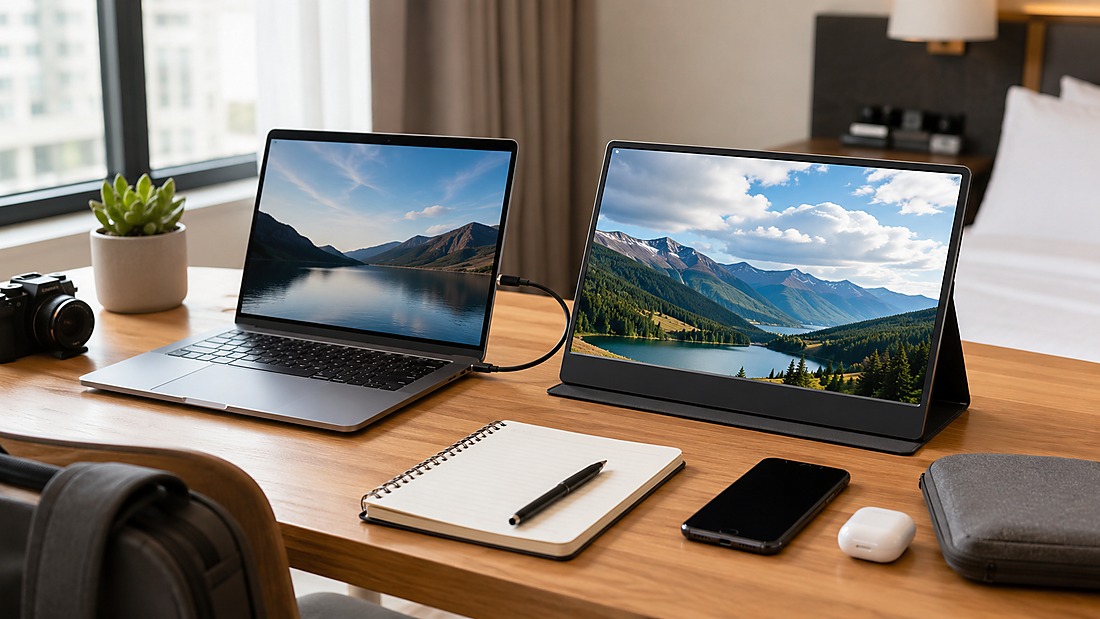
PC monitors are highly standardized modular products. The display panel is normally the largest cost and quality variable. Two monitors can share the same headline specification — 27-inch, QHD, 165Hz — while using different panels with different color performance, brightness uniformity, response characteristics and dead-pixel behavior.
Scaler and controller boards are important but more standardized. They process input signals, scaling, timing, OSD and interface logic. In most startup projects, the panel choice determines whether your product is credible in its price band; the scaler determines whether the interfaces and features you promise actually work.
This has a direct implication for OEM vs ODM. If you specify a custom panel batch or a less common panel type, you are moving toward a deeper OEM or joint-development route with higher volume expectations. If you accept an existing panel and platform, you are closer to ODM or private label, with faster timelines and lower risk.
Customization reality check: what you can change under each model
Startups often ask for “full customization” before understanding which elements are cheap to change and which are expensive. The table below is a practical starting point. Feasibility always depends on the selected platform, panel availability and the factory’s technical evaluation.
| Element | Private label / light ODM | Certification documentation, testing and compliance-support capabilities vary by supplier and project. Confirm the exact scope, responsible parties and available records in writing before relying on them. | Deeper ODM / custom |
|---|---|---|---|
| Logo, manual, packaging | Yes, low effort | Yes | Yes |
| OSD boot logo and menu language | Usually yes | Yes | Yes, including layout and mode naming |
| Interface configuration (HDMI, DisplayPort, USB-C) | Limited to existing options | Possible on existing architecture | Possible with board changes |
| Panel model or panel batch | Existing panel only | May be specified or approved equivalent | Dedicated panel batch possible |
| Housing and stand tooling | Existing mold | Existing mold, color/finish changes | New tooling |
| Firmware / DDC-CI / desktop control software | Basic OSD only | OSD customization | Deeper firmware work where contractually agreed |
| Typical volume expectation | Lower | Mid | Higher |
Two cautions. First, USB-C video input does not automatically mean USB-C Power Delivery is included; PD output depends on the power architecture, the USB-C controller and the cable rating. Second, HDR signal support does not mean the model holds a VESA DisplayHDR certification. Both must be verified for the exact model.
A decision matrix for startup scenarios
Use the following framework to shortlist your route before requesting quotations. It is a starting point, not a substitute for a factory technical review.
| Your situation | Likely route | Why |
|---|---|---|
| You need to launch quickly in a crowded office-monitor category | Private label or light ODM | Fastest path; differentiation comes from brand, packaging and channel rather than hardware |
| You have a clear niche (e.g., a specific size or interface set) but no engineering team | Standard OEM on an existing platform | You define the configuration; the factory supplies the platform and validation |
| You want a distinctive housing or stand as part of your brand identity | Deeper ODM with new tooling | Tooling cost and volume commitment are justified only if the design is a real selling point |
| You have firmware or software resources and want a differentiated OSD or desktop control experience | OEM with firmware/OSD scope | Requires clear contract terms on firmware ownership and source access |
| You are testing demand with limited capital | Private label pilot, then OEM | Validate sell-through before committing to tooling or dedicated panel batches |
In practice, many startups begin with a private-label or light-ODM pilot and move to OEM once they have sell-through evidence. That sequence reduces the risk of paying for tooling before the market has responded.
Startup-specific verification steps before you commit
Startups often have less leverage and less inspection experience than established buyers. That makes verification discipline more important, not less. The following steps are general industry practice and should be adapted to your project.
1. Sample rounds
Ask for an engineering sample that matches the intended production configuration as closely as possible. Evaluate color performance, brightness uniformity, refresh-rate stability, interface compatibility, OSD operation, burn-in behavior and dead-pixel performance. Do not approve a sample that differs from the production BOM without a written explanation of the difference.
2. Dead-pixel and burn-in acceptance criteria
Define acceptable bright-pixel and dark-pixel counts, pixel location rules (especially center zone), panel grade and replacement criteria in writing before mass production. Burn-in testing — running the monitor for a defined period — helps reveal early failures. The exact duration and acceptance rules should be part of the order quality agreement.
3. OSD and branding proof
Request screenshots or video of the boot logo, menu languages and any custom mode naming before production. OSD changes are easy to promise and easy to get wrong at the firmware level.
4. Certification scope per model and market
Confirm which certifications apply to your exact model, configuration and destination market. Certification scope, required documents, testing scope and approval depend on the specific product model, configuration, target market, laboratory and applicable authority. Factory support does not mean every model already holds every certificate, so confirm the applicable requirements for your project with the applicable authority, qualified laboratory or regulatory advisor.
5. Panel and BOM confirmation
Ask for the exact panel manufacturer and model, or a written approved-substitution policy. Confirm the scaler/controller platform in the BOM rather than relying on a reference platform mentioned in a brochure.
Ownership and contract questions startups overlook
These points are project- and contract-dependent, but they should be discussed before you sign:
- Tooling ownership: who owns the mold or tooling, and what happens if you move to another supplier?
- Firmware and OSD rights: who owns custom OSD work, and is source access included? Source-code access is not automatic.
- Exclusivity: if you invest in a custom design, can the factory sell a similar platform to competitors? Define this in the agreement.
- MOQ expectations: MOQ depends on panel size, refresh rate, panel technology, curvature, and whether new tooling is required. Treat any figure as a reference until confirmed in the official quotation.
- Certification ownership: clarify who holds the certificate and how the certificate-holder arrangement is documented.
None of these points should be assumed. They must be defined by the signed project agreement.
Pre-quote briefing checklist
You do not need a finished specification to request a useful quotation, but you do need a structured brief. Sending the following information reduces quotation rework:
- Target screen size and resolution range.
- Panel technology preference (IPS, VA, TN, Fast IPS) and whether it is fixed or flexible.
- Refresh rate target and whether it is a hard requirement.
- Flat or curved; if curved, the target curvature.
- Required interfaces: HDMI, DisplayPort, USB-C, and whether USB-C Power Delivery is needed.
- If PD is needed, the target wattage and the notebooks you expect to support.
- Housing direction: existing platform acceptable, or new tooling required.
- Branding scope: logo, packaging, manual languages, OSD boot logo, custom mode names.
- Destination markets and the certification scope you expect to discuss.
- Estimated first-order volume and annual forecast range.
- Target launch window and any hard deadlines.
- Any software requirement: DDC-CI control, desktop control application, or none.
A brief like this lets the factory respond with a realistic route — private label, standard OEM or deeper ODM — instead of quoting a configuration that does not match your volume or timeline.
Pineeon Manufacturer-Side Recommendation
From a manufacturer’s perspective, the most common startup mistake is treating customization as a checklist rather than a cost-and-risk trade-off. Our recommendation is to separate “what the customer will notice” from “what only adds BOM cost.” Branding, packaging, OSD naming and a well-chosen panel usually create more perceived value at startup volume than a new housing mold.
Certification documentation, testing and compliance-support capabilities vary by supplier and project. Confirm the exact scope, responsible parties and available records in writing before relying on them.
If you are evaluating routes, you can review the PC monitor OEM/ODM and private label options and then brief us with the checklist above. Pineeon is based in Shenzhen, China, has operated since 2000, is ISO 9001:2015-certified, and serves brands and buyers in 40+ countries.
Final takeaway
OEM vs ODM is not a quality ranking. It is a fit question. Choose the lightest route that delivers the differentiation your customer actually values, verify the panel and BOM in writing, define dead-pixel and certification scope before production, and settle ownership questions in the contract. That sequence protects a startup’s limited capital better than any single specification choice.
Related Pineeon Resources