Choosing the right PC monitor factory is one of the most consequential decisions a brand, importer, or procurement team can make. The factory determines not only the cost and lead time but also the display quality, consistency, and long-term reliability of your product. Yet many buyers approach factory selection with little more than a price quote and a promise of “good quality.” That approach leads to costly surprises: panels that differ from the sample, dead-pixel policies that are not honored, or compliance documentation that arrives too late.
This guide provides a step-by-step framework for comparing PC monitor factories objectively. You will learn what to evaluate, what questions to ask, and how to avoid common pitfalls. Whether you are sourcing your first batch or switching suppliers, these criteria will help you make a confident, informed decision.
Why Factory Comparison Matters for PC Monitors
PC monitors are modular products, but their most critical component—the display panel—is not a commodity. Two monitors with identical specifications (size, resolution, refresh rate) can look completely different depending on the panel manufacturer, panel model, and production batch. The factory’s relationship with panel suppliers, its quality control processes, and its willingness to document specifications determine whether you get a consistent, high-quality product or a gamble.
Moreover, monitors are typically shipped in large volumes, so even a small defect rate can translate into significant returns and brand damage. A factory that invests in rigorous testing and clear communication is worth more than a slightly lower price.
Step 1: Define Your Product Requirements Before You Compare
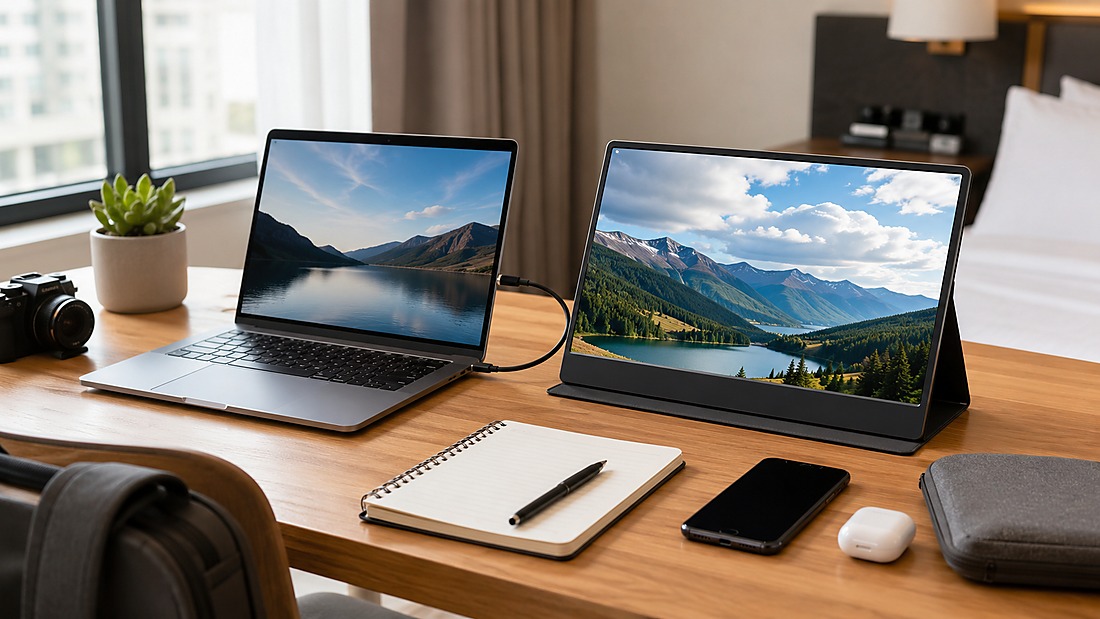
A structured pc monitor factory should compare engineering capability, quality control and project fit rather than price alone.
Before you start evaluating factories, you must define your product requirements in detail. This is not just about screen size and resolution. You need to specify:
- Panel technology: IPS, VA, TN, or Fast IPS. Each has trade-offs in color, contrast, response time, and viewing angles.
- Refresh rate: 60Hz, 100Hz, 144Hz, 165Hz, 180Hz, or 240Hz. Higher refresh rates require compatible panels and scaler ICs.
- Resolution: FHD, QHD, UHD, or ultrawide configurations.
- Curvature: Flat or curved (e.g., 1800R, 3000R).
- Interfaces: HDMI, DisplayPort, USB-C, and whether USB-C Power Delivery is required.
- Special features: Built-in speakers, webcam, RGB lighting, low blue light, HDR support.
- Target market: This determines certification requirements (CE, FCC, RoHS, CCC, etc.) and power plug types.
Write down your requirements in a specification sheet. This will be your baseline for comparing factory proposals. If a factory cannot confirm the exact panel model or provide a written specification, that is a red flag.
Step 2: Evaluate Manufacturing Capabilities
Not all factories are equal in their ability to produce PC monitors. You need to assess their core manufacturing capabilities, which include:
Panel Sourcing and Relationships
The panel is the most expensive and variable component. Ask the factory which panel suppliers they work with (e.g., AU Optronics, LG Display, Innolux, BOE, Samsung Display, CPT). Request the exact panel model for your project and confirm that it is available for mass production. A factory with strong relationships can secure better pricing and priority allocation, especially for high-refresh or specialized panels.
Assembly and Testing Infrastructure
Visit the factory or request a virtual tour. Look for clean, organized assembly lines, SMT capabilities for controller boards, and dedicated testing areas. Ask about their burn-in testing process—how long do monitors run before they are considered stable? A factory that skips burn-in to save time is likely to ship early failures.
Customization Capabilities
If you need OEM or ODM services, confirm the factory’s ability to customize:
- Mechanical design: Bezel, stand, VESA mounting, color, and finish.
- Firmware: OSD menu, boot logo, preset modes, and interface behavior.
- Software: Desktop control applications, DDC/CI support, or conference monitor integrations.
- Packaging: Custom artwork, manual languages, and protective inserts.
Ask for examples of previous customization projects, but be cautious about confidential client names. Instead, ask for case studies that describe the scope of work without revealing sensitive details.
Step 3: Assess Quality Control Processes
Quality control is the backbone of a reliable monitor factory. A robust QC system typically follows the IQC → IPQC → FQC → OQC framework:
- IQC (Incoming Quality Control): Inspects incoming panels, scaler ICs, power boards, and mechanical parts. Panels should be checked for dead pixels, color consistency, and appearance.
- IPQC (In-Process Quality Control): Monitors assembly steps, including panel mounting, backlight installation, and SMT soldering.
- FQC (Final Quality Control): Tests finished monitors for dead pixels, brightness uniformity, color uniformity, refresh-rate stability, interface compatibility, and OSD functionality. Burn-in testing is often part of FQC.
- OQC (Outgoing Quality Control): Performs final sampling inspection using AQL levels (e.g., AQL 1.5 or 2.5) and checks packaging integrity.
Ask the factory for their QC documentation, including inspection reports and defect rate data. A transparent factory will share this information without hesitation.
Dead-Pixel Policy: A Critical Contract Term
Dead pixels are a common source of disputes. Before mass production, define the acceptable number of bright and dark pixels, pixel location (e.g., center zone), and replacement criteria. The factory’s standard policy may be based on ISO 13406-2 or an internal standard, but the contractual agreement should be explicit. Do not assume zero dead pixels unless it is guaranteed in writing.
Step 4: Verify Compliance and Certification Support
Depending on your target market, your monitor may need CE (Europe), FCC (USA), RoHS (restricted substances), CCC (China), or other certifications. A factory that can support these certifications is essential. Ask the factory:
- Which certifications do they have experience with?
- Can they provide technical documentation and testing support?
- Who holds the certificate—the factory or the buyer?
- What is the typical timeline and cost for certification?
Certification documentation, testing and compliance-support capabilities vary by supplier and project. Confirm the exact scope, responsible parties and available records in writing before relying on them.
Step 5: Evaluate Communication and Project Management
Effective communication can make or break a project. Evaluate the factory’s responsiveness, technical knowledge, and willingness to provide detailed answers. Consider:
- Do they respond to emails within 24 hours?
- Can they explain technical trade-offs in plain language?
- Do they provide written specifications and confirmations?
- Are they proactive in flagging potential issues (e.g., panel shortages, lead time changes)?
A factory that communicates clearly will help you avoid misunderstandings and delays. Ask for a dedicated project manager who will be your single point of contact.
Step 6: Request Samples and Conduct Audits
Never skip the sample stage. A sample is your best evidence of the factory’s capability. Request an engineering sample that matches your specifications as closely as possible. Test it for:
- Color accuracy and brightness uniformity
- Refresh-rate stability
- Interface compatibility (HDMI, DisplayPort, USB-C)
- OSD functionality
- Dead pixels and other visual defects
If possible, conduct a factory audit—either in person or virtually. During the audit, verify the QC processes, inspect the production lines, and meet the quality team. If you cannot visit, ask for a live video tour and request documentation such as ISO certificates and QC records.
Step 7: Compare Commercial Terms
Finally, compare commercial terms beyond the unit price. Consider:
- MOQ: Minimum order quantity. For standard private-label monitors, MOQs may start around 300 pieces, but this depends on the panel and configuration.
- Lead time: Sample lead time and mass production lead time. Typical ranges are 15–50 days for samples and 30–60 days for production, but these are project-dependent.
- Payment terms: Common terms include T/T, L/C, or others. Ensure they align with your cash flow.
- After-sales support: What happens if defects are found after shipment? Is there a warranty and return policy?
- Shipping: Does the factory handle export documentation and freight? What are the incoterms?
Be wary of factories that offer significantly lower prices than others—they may be cutting corners on panels, testing, or compliance.
PC Monitor Factory Comparison Checklist
Use this checklist to evaluate and compare factories objectively. Score each criterion from 1 to 5 and compare total scores.
| Criterion | What to Check | Weight |
|---|---|---|
| Certification documentation, testing and compliance-support capabilities vary by supplier and project. Confirm the exact scope, responsible parties and available records in writing before relying on them. | Panel suppliers, model confirmation, availability | High |
| Manufacturing capability | Assembly lines, SMT, burn-in testing, customization | High |
| Certification documentation, testing and compliance-support capabilities vary by supplier and project. Confirm the exact scope, responsible parties and available records in writing before relying on them. | IQC/IPQC/FQC/OQC, dead-pixel policy, AQL | High |
| Certification documentation, testing and compliance-support capabilities vary by supplier and project. Confirm the exact scope, responsible parties and available records in writing before relying on them. | CE, FCC, RoHS, documentation, testing | Medium |
| Communication | Responsiveness, technical clarity, project management | Medium |
| Sample quality | Performance, build quality, sample lead time | High |
| Commercial terms | MOQ, lead time, payment, after-sales | Medium |
Common Pitfalls in Factory Selection
Avoid these mistakes that often lead to sourcing failures:
- Focusing solely on price: The cheapest quote often results in higher total cost due to defects, delays, or compliance issues.
- Ignoring the panel model: Two factories may offer the same resolution and refresh rate but use different panels with vastly different quality.
- Skipping the sample: A sample is your only tangible proof of quality. Never proceed without one.
- Underestimating after-sales support: A factory that disappears after payment will leave you stranded with defective inventory.
- Not defining dead-pixel policy: This is a common source of disputes. Get it in writing.
Pineeon Manufacturer-Side Recommendation
As a manufacturer with over 20 years of experience in OEM/ODM, we recommend a structured approach to factory comparison. Start by defining your specifications, then evaluate factories based on the criteria above. Do not be afraid to ask detailed technical questions—a reputable factory will welcome them.
When you receive quotes, compare them not just on price but on the total value: panel quality, QC rigor, compliance support, and communication. Request samples from at least two factories and test them side by side. If possible, visit the factory or request a virtual tour.
Certification documentation, testing and compliance-support capabilities vary by supplier and project. Confirm the exact scope, responsible parties and available records in writing before relying on them.
If you are evaluating PC monitor factories, we invite you to explore our PC monitor OEM/ODM capabilities and see how we can support your project.
Frequently Asked Questions
What is the most important factor when comparing PC monitor factories?
The most important factor is the display panel. The panel determines color performance, brightness, uniformity, and dead-pixel rate. Always confirm the exact panel model and supplier before mass production.
How do I verify a factory’s quality control?
Ask for their QC process documentation, including IQC, IPQC, FQC, and OQC procedures. Request inspection reports and defect rate data. If possible, conduct a factory audit or request a virtual tour.
What certifications should a PC monitor factory support?
Common certifications include CE for Europe, FCC for the USA, and RoHS for restricted substances. Depending on your market, you may also need CCC, Energy Star, or other certifications. Ensure the factory can provide technical documentation and testing support.
How long does it take to get a sample from a PC monitor factory?
Sample lead time varies. For existing molds with logo and packaging customization, it can be as short as 15 days. For custom panel batches or new tooling, it may take 25–50 days. Always confirm the timeline with the factory.
What is a typical MOQ for private label PC monitors?
For standard 21.5-inch to 27-inch monitors with logo and packaging customization, MOQs may start around 300 pieces. However, MOQ depends on the panel size, refresh rate, and customization level. Confirm with the factory.
How can I avoid dead-pixel disputes?
Define the dead-pixel acceptance criteria in your contract, including the allowed number of bright and dark pixels, pixel location, and replacement policy. This should be agreed upon before mass production.