The Ultimate Guide to PC Monitor Sourcing for Gaming Brands
Published October 29, 2026 · Pineeon Insights
Sourcing a gaming monitor is not the same as sourcing a standard office display. The headline specifications that sell a gaming monitor—refresh rate, response, panel type, adaptive sync—are also the specifications most likely to be misrepresented, substituted or left ambiguous between quotation and mass production. For gaming brands, importers and procurement teams, the sourcing decision is therefore less about comparing spec sheets and more about building a verification process that survives from the first sample to the last container.
This guide is written from the manufacturer side of that process. It explains how to translate a gaming brand’s positioning into a concrete specification brief, how panel and refresh-rate choices drive cost and supply risk, what OEM and ODM customization actually covers, and how to test and document acceptance criteria before committing to a gaming monitor OEM program. It also separates what a factory can support in general from what must be confirmed for a specific model, BOM and destination market.
Start with a positioning brief, not a spec sheet
Most sourcing problems begin before a quotation is requested. A buyer sends a list of specifications copied from a competitor’s product page, receives several quotes that appear comparable, and later discovers that the quotes describe different panels, different grades and different firmware scopes. The fix is to write a positioning brief first and derive the specification from it.
A useful brief answers four questions:
- Who is the buyer and where will the monitor be sold? An esports-focused brand, a value e-commerce seller and a premium creator brand will weight panel grade, refresh rate, color performance and packaging differently.
- What is the primary use case? Competitive gaming, immersive single-player gaming, streaming, mixed office and gaming, or console use each shift the priority between refresh rate, contrast, resolution and interface configuration.
- What price band must the product sit in? The panel is normally the largest single cost driver in a monitor BOM, so the price band constrains panel technology, size, resolution and refresh rate before any other decision.
- What must be true for the product to be defensible? For example, a stated refresh rate that the panel and scaler can actually sustain, a dead-pixel policy that matches the brand promise, or a USB-C configuration that matches the target notebook audience.
Only after these are settled should the buyer request quotations. A brief that states the intended market, use case, price band and non-negotiable features gives the factory enough context to recommend a platform rather than quote a generic configuration.
Panel and refresh-rate selection: the sourcing decision that matters most

PC monitors are highly standardized modular products. The panel is the primary cost and quality variable; the scaler and controller board matter, but they are more standardized across projects. Two monitors can share the same resolution and refresh-rate headline while using different panels with different color, brightness, uniformity, response and defect characteristics. That is why the exact panel manufacturer and panel model—or an approved substitution policy—should be confirmed in writing before mass production.
Panel technology as a sourcing choice
Panel technology is usually described in marketing terms, but for sourcing it is a trade-off decision:
- IPS is generally chosen for viewing angles and color performance, which suits mixed-use and creator-oriented gaming products.
- VA is often chosen for higher contrast and is commonly used in curved monitors, which suits immersive gaming positioning.
- TN has fast response characteristics but generally weaker viewing angles and color performance, and is less dominant in newer gaming products.
- Fast IPS is a higher-refresh gaming-oriented IPS architecture, positioned between mainstream IPS and premium high-refresh segments.
These are general industry characterizations, not guarantees of a specific model’s performance. The buyer’s job is to ask which panel family the factory intends to use, what grade is quoted, and what happens if that panel becomes unavailable.
Refresh rate is an architecture decision, not a checkbox
Refresh rate requires a compatible panel, scaler and interface architecture. A high-refresh claim is not a firmware setting; it depends on the panel’s native capability, the controller’s timing support and the interface bandwidth. Buyers should treat refresh rate as a system-level specification and ask the factory to confirm:
- Which panel model supports the quoted refresh rate, and at which resolution?
- Which scaler platform is used, and does it support the required timing and interface combination?
- Which interfaces (HDMI, DisplayPort, USB-C) can carry the quoted refresh rate, and at what resolution and color depth?
- Whether adaptive-sync or variable-refresh features are supported by the selected platform, and whether any certification claim is model-specific and documented.
High-refresh, ultrawide, curved, Mini-LED and OLED panels carry greater supply risk than common office-size panels. That risk shows up as higher MOQ, longer lead time and less flexibility on panel substitution. A gaming brand should decide early whether it can accept an approved-equivalent panel policy or whether the panel model must be locked.
OEM vs ODM vs private label: defining the customization scope
Gaming brands often use the terms OEM, ODM and private label interchangeably, which creates mismatched expectations about tooling, firmware and IP. In practice, the scope should be defined by what is being changed, not by the label.
| Customization level | Typical scope | What the buyer should confirm |
|---|---|---|
| Stock private label | Existing platform with logo, packaging and manual customization | Panel model and grade, MOQ, packaging artwork approval, manual languages |
| Standard OEM | Existing panel architecture with configuration or interface changes | Interface combination, OSD scope, firmware ownership, certification impact of changes |
| ODM joint customization | Dedicated mechanical design and/or dedicated panel batch | Tooling ownership, development milestones, panel allocation, IP terms |
| Full custom | Dedicated tooling and dedicated mainboard solution | Tooling and firmware ownership, exclusivity, certification responsibility, change control |
For gaming monitors, the most common customization requests fall into five areas:
- OSD and firmware: boot logo, menu languages, menu layout, preset mode naming, brand boot animation, and selected interface behavior such as input priority or KVM logic where the scaler supports it.
- Desktop control software: a Windows or macOS monitor-control application for brightness, color temperature and selected settings, typically on mid-to-high-end or gaming models. DDC/CI may enable desktop control where the controller and firmware support it, but it should not be assumed for every model.
- Mechanical design: bezel, stand, VESA mounting, color and surface finish. New tooling is a separate cost and timeline item.
- Interfaces and power: HDMI, DisplayPort, USB-C video and USB-C Power Delivery. USB-C video support does not automatically mean Power Delivery is included, and the usable charging power is limited by the lowest capability among the monitor’s PD output, the connected computer, the cable rating and the port.
- Packaging and accessories: artwork, included cables, quick start guide and retail-ready protection.
Tooling, firmware and IP ownership are contract-defined. Buyers should not assume that paying for tooling transfers ownership, or that OSD customization includes access to scaler firmware source code. Deep source-code customization is less common than OSD-level customization and should be negotiated explicitly.
Sample and QC verification: what to test and what to document
The sample stage is where a gaming monitor program is either de-risked or locked into a defect pattern. A sample that looks correct on a desk is not sufficient evidence. The buyer should define acceptance criteria before the sample is built, then test against them.
Sample validation checklist
- Panel identity: confirm the panel manufacturer and model against the quotation, and record the panel grade.
- Dead-pixel inspection: test bright, dark and stuck pixels across solid color fields; record counts and locations, especially in the center zone.
- Uniformity: check brightness and color uniformity on full-white and gray fields; note any visible banding or corner variation.
- Refresh-rate stability: verify the quoted refresh rate at the quoted resolution and over each interface that will be marketed.
- Interface compatibility: test HDMI, DisplayPort and USB-C inputs with representative source devices, including cable and PD behavior where applicable.
- OSD and firmware: verify menu languages, preset modes, input switching, and any custom branding or animation.
- Burn-in testing: run the monitor for a defined period to surface early failures, unstable panels or power issues. Duration depends on the project inspection plan.
- Mechanical and packaging: check bezel and stand assembly, VESA fit, and packaging protection, especially for large curved models.
The dead-pixel policy deserves separate attention because it is a contract term, not a preference. The agreement should define allowed bright and dark pixel counts, pixel location rules, center-zone requirements, panel grade and replacement criteria. Standards such as ISO 13406-2 may be referenced where appropriate, but the contractual acceptance rule controls the order. Buyers should not claim zero dead pixels unless the exact project specification guarantees it.
Production QC expectations
A monitor factory’s quality system typically follows IQC, IPQC, FQC and OQC. For gaming monitors, the critical checkpoints are panel inspection at incoming quality control, assembly and mainboard checkpoints in process, and final checks covering dead pixels, brightness and color uniformity, refresh-rate stability, interface compatibility, OSD function and burn-in. Outgoing inspection commonly uses AQL sampling, with the exact AQL and acceptance criteria confirmed in the order quality agreement.
Before mass production, the buyer should also approve a pilot batch and freeze the panel and BOM specification. This is the point where panel substitution risk is either controlled or left open.
Compliance and certification: project- and market-dependent
Certification is one of the most frequently overstated areas in monitor sourcing. The correct framing is that requirements vary by product configuration, target market, power architecture, interface design and applicable standards. CE, FCC and RoHS are common reference points for European and United States markets, but the applicable scope, testing and documentation must be confirmed for the specific model and destination.
Gaming monitors can raise additional questions:
- Power and safety: built-in versus external power supply, plug type for the destination market, and applicable electrical safety requirements.
- Display performance claims: HDR support does not equal VESA DisplayHDR certification, and adaptive-sync or gaming-display certifications must be verified for the exact model.
- Energy and sustainability programs: market-specific energy-efficiency or sustainability certifications may apply depending on the sales channel.
- Radio and wireless features: if a monitor includes wireless modules, additional requirements may apply.
Buyers should ask who holds the certificate, which model and configuration it covers, and whether the certificate remains valid if the panel, power board or interface configuration changes. Certification ownership and certificate-holder arrangements should be defined in the contract. For high-risk regulatory questions, confirm current requirements with the applicable authority, qualified laboratory or regulatory advisor.
Supplier evaluation scorecard for gaming monitor programs
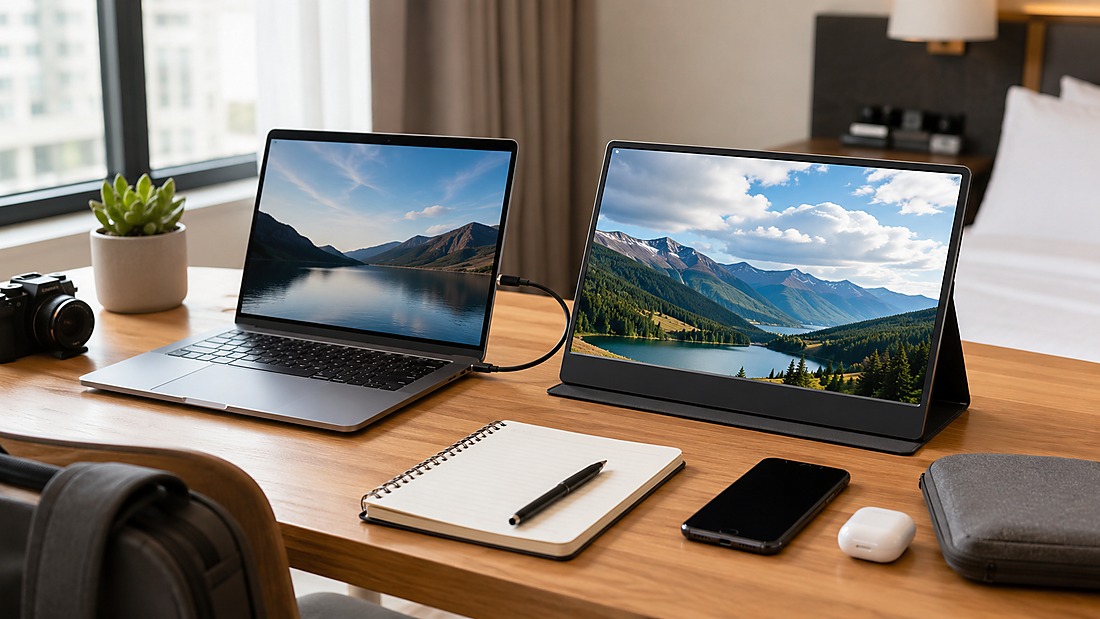
Price comparison alone will not identify a reliable pc monitor manufacturer for a gaming line. The following scorecard focuses on the factors that most often cause problems after the order is placed.
| Evaluation area | What to verify | Why it matters |
|---|---|---|
| Panel supply stability | Named panel model or approved-equivalent policy; allocation plan for high-refresh or specialty panels | Panel availability drives MOQ, lead time and substitution risk |
| Technical fit | Scaler platform support for the quoted refresh rate, resolution and interface combination | Prevents spec claims that the architecture cannot sustain |
| Customization scope | Written scope for OSD, firmware, tooling, packaging and software; ownership terms | Avoids disputes over IP and change requests |
| MOQ and lead time | Reference MOQ and lead time by configuration; seasonality and panel scheduling assumptions | Keeps launch planning realistic |
| Quality documentation | Dead-pixel policy, AQL, burn-in plan, inspection records | Makes acceptance criteria enforceable |
| Certification support | Which certifications the factory can support, and which model-specific certificates exist | Separates factory capability from product certification |
| After-sales and warranty | Warranty terms, spare-panel policy, RMA process and response expectations | Protects the brand after shipment |
Score each area against written evidence rather than verbal assurances. A supplier that cannot name the panel model, explain the substitution policy or document its dead-pixel rule is a supplier that will create problems later.
Pineeon Manufacturer-Side Recommendation
From the factory side, the most reliable gaming monitor projects share a common pattern: the buyer defines the product position and acceptance criteria first, then asks the factory to recommend a platform. That sequence produces better quotations because the factory can match panel, scaler and interface architecture to the intended price band instead of quoting a generic configuration.
Pineeon is a B2B private label Smart Wearable, Computer Peripheral and AI Hardware OEM/ODM manufacturer based in Shenzhen, China, operating since 2000 and ISO 9001:2015-certified, serving brands and buyers in more than 40 countries. For PC monitor projects, we evaluate the customer’s requirements before recommending an approach, because OEM and ODM options depend on the level of hardware, firmware, software, tooling, branding and packaging customization. Final project scope should be confirmed before quotation and development.
We recommend that gaming brands treat the following as non-negotiable before mass production:
- Written confirmation of the panel manufacturer, panel model and approved substitution policy.
- A dead-pixel acceptance standard defined in the contract, including center-zone rules.
- Refresh-rate and interface validation on the actual sample, not only on the spec sheet.
- A pilot batch with panel defect rate, dead-pixel consistency and assembly yield reviewed before BOM freeze.
- Clear ownership terms for tooling, firmware and any custom software.
Certification requirements for a gaming monitor should be treated as project- and market-dependent. Buyers should confirm the applicable scope, required documents, testing arrangements and certificate-holder responsibilities for the specific model and destination market with the applicable authority, qualified laboratory or regulatory advisor, and approval should not be assumed.
For buyers building a gaming monitor line, the next practical step is to prepare a positioning brief and request a platform recommendation against it. You can review Pineeon’s PC monitor OEM/ODM solutions as a starting point for that discussion.
Frequently asked questions
How do we prevent panel substitution between sample approval and mass production?
Name the panel manufacturer and model in the purchase specification, define an approved-equivalent substitution policy in writing, and freeze the panel and BOM after pilot approval. Require written notice before any substitution and re-test the substitute against the same acceptance criteria.
Is a higher refresh rate always better for a gaming brand?
Not automatically. Higher refresh rates require compatible panel, scaler and interface architecture and usually increase cost and supply risk. The right choice depends on the target game genre, price band and whether the brand can support the claim with consistent panel supply.
What should a dead-pixel policy include?
It should define allowed bright and dark pixel counts, pixel location rules, center-zone requirements, panel grade and replacement criteria. These terms belong in the contract before mass production, not in a post-shipment discussion.
Does USB-C on a gaming monitor mean it can charge a laptop?
No. USB-C video support does not automatically mean Power Delivery is included. Confirm the monitor’s actual PD output, the cable power rating, notebook compatibility and whether video, USB data and PD can operate simultaneously.
Can OSD and firmware be customized for a private label gaming brand?
OSD-level customization is common and may include boot logo, languages, menu layout, preset naming and brand animation. Deeper firmware or source-code access is less common and must be agreed contractually, along with ownership terms.
How should certification be handled for a new gaming monitor model?
Treat certification as project- and market-dependent. Confirm the applicable requirements for the specific model, configuration and destination market, ask who holds the certificate, and verify that the certificate covers the exact configuration being shipped. Confirm current requirements with the applicable laboratory, authority or qualified advisor.