Most compliance problems in a PC monitor import program do not start at customs. They start at the quotation stage, when a buyer compares two suppliers on price and panel specification and never asks which exact model, configuration and market the supplier’s paperwork actually covers. By the time the container is booked, the certificate on file may reference a different model number, a different power architecture, or a radio module that is not in the unit being shipped.
This checklist is organized by decision stage rather than by regulation. Each stage has a specific output you should hold before moving to the next one. It is written for importers, distributors and private label brands placing bulk pc monitor orders, and it assumes you are working with an overseas pc monitor manufacturer rather than buying domestically.
One framing note before the checklist: regulatory scope for monitors is configuration-dependent. A 24-inch office monitor with an external 12V adapter, a 34-inch curved gaming monitor with a built-in PSU, and a portable USB-C monitor with a battery are three different compliance conversations. Treat any supplier who answers all three with the same document set as a warning sign.
Stage 1: Lock the Configuration Before You Discuss Certification
Laboratories quote and test against a defined configuration. If your configuration is still moving, any certification discussion is premature. Before requesting compliance documents, freeze the following variables in writing and share them with the supplier as a configuration sheet.
- Panel and size: screen size, resolution, panel technology, refresh rate, flat or curved.
- Power architecture: built-in PSU versus external AC/DC adapter, input voltage range, and the plug type for the destination market.
- Interfaces: HDMI, DisplayPort, USB-C with or without Power Delivery, USB hub functions, audio out.
- Radio modules: any Wi-Fi, Bluetooth or wireless display function. This is the single most common scope gap in monitor projects, because a radio module pulls in separate approval requirements that a plain display does not.
- Battery: present only in some portable models. A battery changes transport and safety documentation substantially.
- Integrated peripherals: webcam, microphone, speakers.
- Intended use and user group: general office, gaming, commercial, or anything claiming a health or ergonomic benefit.
Why this matters from the factory side: the same mechanical platform can ship with different power boards and different scaler boards. Each combination can change the test sample the lab needs. Buyers who send a one-line specification (“27 inch QHD 165Hz”) and expect a complete certificate package are usually the ones who discover a mismatch at the port.
Stage 2: Map Requirements by Destination Market
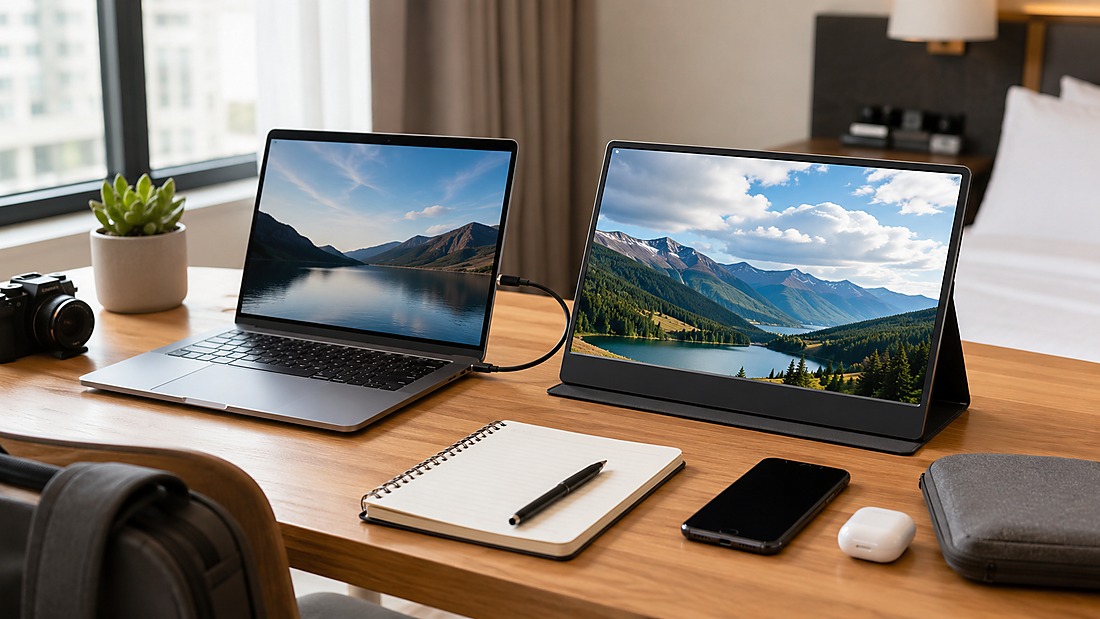
Do not accept a generic “we have CE and FCC” statement as a market plan. Build a market matrix and require the supplier to respond line by line. The table below is a starting framework, not a substitute for confirming current requirements with the applicable authority, laboratory or regulatory advisor — requirements change and product scope varies.
| Market | Typical requirement area | What to request from the supplier | Common failure mode |
|---|---|---|---|
| EU | CE marking regime, including EMC and safety directives, plus RoHS substance restrictions | EU declaration of conformity naming the exact model; test reports; RoHS documentation; label artwork with required language | DoC references a model number that does not match the shipping carton |
| UK | UKCA marking regime (separate from CE) | UK-specific conformity documentation and label artwork | Supplier assumes CE automatically covers the UK |
| Certification documentation, testing and compliance-support capabilities vary by supplier and project. Confirm the exact scope, responsible parties and available records in writing before relying on them. | FCC equipment authorization for digital devices; radio modules need their own authorization | FCC documentation for the exact model; module authorization for any radio | Radio module approval exists but is not linked to the finished monitor |
| Other markets (e.g. Japan, Korea, Gulf states) | Separate national schemes | Written confirmation of which scheme applies and who holds the certificate | Buyer assumes a CE file is transferable |
Two practical notes. First, RoHS is a substance-restriction obligation, not a performance mark — a RoHS compliant pc monitor claim should be backed by documentation covering the actual BOM, not a company-level statement. Second, energy-efficiency and display-performance programs (energy labeling schemes, HDR performance certifications, ergonomic marks) are separate voluntary or market-specific programs. Never let a supplier imply that HDR signal support equals an HDR performance certification.
Stage 3: Verify That the Certificate Covers Your Model
This is where most import disputes originate. A supplier may genuinely hold certification — for a different model. Company-level capability is not model-level evidence. Use this verification sequence on every document you receive.
- Match the model number exactly. Compare the certificate, the declaration of conformity, the nameplate artwork, the carton artwork and the invoice. Any divergence needs a written explanation.
- Check the configuration description. Does the tested configuration include your power board, your panel, your radio module, your USB-C PD level?
- Identify the certificate holder. Is it the factory, a trading company, or a third party? This affects who can support you if an authority asks questions later.
- Check validity and scope. Confirm the document is current and that the standard cited matches the product category.
- Request the test report, not just the certificate. The report shows what was actually tested.
- Ask about family or series coverage. If your model is covered as a variant under a family approval, get the variant list in writing.
A certified pc monitor is a model-level statement. If a supplier cannot produce a document that names your model and configuration, you do not yet have a certified product — you have a certified supplier relationship.
Stage 4: Labeling, Marking and Language Requirements
Labeling is cheap to fix before production and expensive to fix after arrival. Include label artwork in the sample approval package, not the mass production package.
- Rating label: model number, electrical rating, manufacturer or importer identification as required by the destination market.
- Marking placement: conformity marks must be legible, durable and positioned as the applicable scheme requires.
- Language: safety information, quick start guide and packaging text in the languages required by the destination market. This is a frequent gap for EU multi-country distribution.
- Importer identification: in some markets the importer, not the factory, must be identified on the product or packaging. Confirm this before artwork sign-off.
- Accessories: power cord and plug type per market; cable ratings where USB-C PD is claimed.
For a CE marked pc monitor, the mark itself is only one element. The declaration of conformity, technical file availability and correct labeling form a package. A mark on the bezel with no supporting file is a liability, not an asset.
Stage 5: Customs and Shipping Documentation
Customs questions are usually about classification, value and origin — not about whether the monitor works. Prepare the following before booking freight.
- Commercial invoice with model numbers matching the certificate and carton artwork.
- Packing list with carton dimensions and gross weights, consistent with the shipping marks.
- Bill of lading or airway bill with consignee details matching the importer of record.
- Certificate of origin where a preferential tariff claim is intended.
- Product classification confirmed with your customs broker for the specific monitor type.
- Battery documentation if any portable model contains a battery.
- Any market-specific conformity documentation the destination customs authority may request at entry.
Classification deserves attention for monitors because size, panel technology and intended use can affect how a product is treated. Confirm with your broker rather than relying on a supplier’s historical code — a code that worked for a small office monitor may not fit a large curved gaming model.
Stage 6: Post-Import Obligations

Compliance does not end at delivery. Assign ownership internally for the following before the first shipment lands.
- Technical file retention: keep declarations, test reports, BOM records and label artwork for the period required by the destination market.
- Traceability: link production batches to the configuration that was certified. If you later change panel supplier or power board, re-check whether the change affects the approval.
- Change control: require written notification from the supplier before any BOM change that could affect compliance.
- Market surveillance readiness: know who answers if a regulator requests documentation, and how quickly.
- After-sales consistency: replacement units must match the certified configuration.
Common Importer Mistakes to Design Out
These recur across monitor import programs and are all preventable at the quotation stage.
- Treating company certification as model certification. The factory’s capability statement is a starting point, not evidence for your SKU.
- Model number drift. The certificate says one number, the carton says another, the invoice says a third.
- Missing label language. Product is compliant but packaging is not readable in a required market language.
- Unverified radio module approvals. A wireless display or Wi-Fi function is added late and its approval is never linked to the finished product.
- Assuming USB-C means Power Delivery. Video input and PD output are separate capabilities with separate documentation implications.
- Assuming HDR support equals HDR certification. Performance marks require model-specific testing.
- No change-control clause. The supplier substitutes a panel or power board after approval without notifying you.
Pineeon Manufacturer-Side Recommendation
Certification documentation, testing and compliance-support capabilities vary by supplier and project. Confirm the exact scope, responsible parties and available records in writing before relying on them.
That capability is a support statement, not a guarantee. Final certification scope, required documents, testing scope and approval depend on the specific product model, configuration, target market, laboratory and applicable authority — and approval is not guaranteed. Our practical recommendation to buyers is therefore:
- Send the configuration sheet from Stage 1 with the inquiry, not after the sample is approved.
- State the destination markets explicitly, including any market beyond the EU, UK and US.
- Ask for the document package against your exact model number, and review it before the purchase order, not before shipment.
- Put change control and dead-pixel acceptance into the same quality agreement, because both are configuration-integrity issues.
- Confirm who holds each certificate and who will answer a regulator’s question two years from now.
Buyers who follow this sequence typically spend less time resolving document mismatches and more time on the variables that actually differentiate a monitor program — panel selection, panel batch consistency, dead-pixel acceptance criteria and interface configuration. If you are evaluating monitor platforms for a private label or OEM program, the PC Monitor OEM/ODM product page is the right starting point for a configuration discussion.
Pre-Order Verification Workflow
Use this as a gate sequence. Do not release a bulk order until every line has a written answer.
- Configuration sheet issued and acknowledged by the supplier.
- Destination market list confirmed, including non-EU/UK/US markets.
- Document package received and model numbers cross-checked against nameplate and carton artwork.
- Radio module and battery scope confirmed as applicable or not applicable.
- Label and manual language artwork approved with the sample.
- Certificate holder and technical file custodian identified.
- Change-control clause and dead-pixel acceptance criteria signed.
- Customs classification and importer-of-record details confirmed with your broker.
- Post-import document retention owner assigned internally.
Questions worth putting to any pc monitor supplier before a bulk order: Which exact model number appears on the declaration of conformity? Which configuration was tested? Who holds the certificate? What changes to the BOM would require re-testing? Which languages are on the packaging? Who is named as importer on the label? What is the written procedure if a panel substitution is proposed after approval?
None of these questions require the supplier to disclose confidential commercial data. All of them determine whether your shipment arrives with a defensible compliance file or a folder of documents that describe someone else’s product.
Editorial note: This article provides general B2B sourcing and manufacturing information. Legal, regulatory, certification, intellectual-property and market-entry requirements vary by jurisdiction and project. Obtain qualified professional advice and verify the requirements that apply to your product and target market.
Related Pineeon Resources